KDP Undated Planner Interior: Editable Design Assets
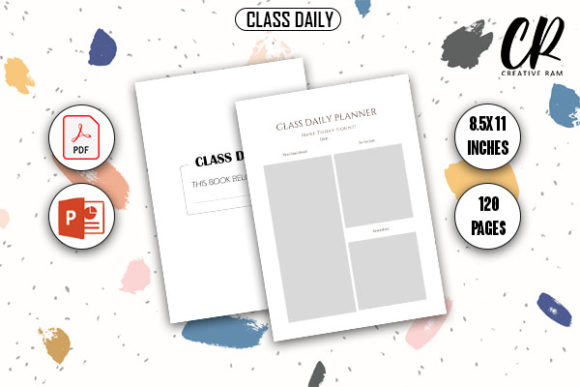
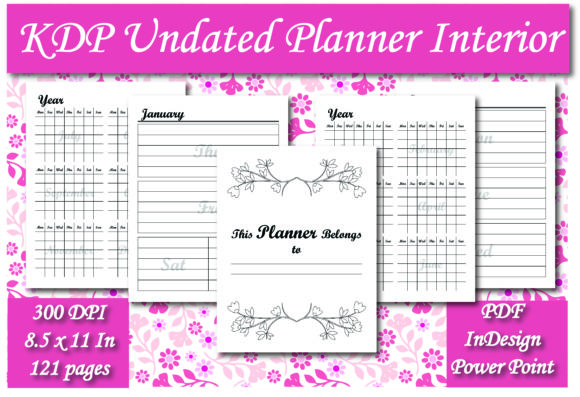
Creating a successful low-content book on Amazon requires more than just uploading a generic template; it demands a product that offers genuine utility and aesthetic appeal to a specific audience. The KDP Undated Planner Interior provides a robust foundation for publishers who want to bypass the tedious layout phase and focus on niche differentiation. With 121 pages of structured content in an 8.5 x 11 inch format, this resource serves as a professional starting point for entrepreneurs, educators, and creatives looking to expand their catalog without spending weeks on graphic design.
The true value of this interior lies in its flexibility. Unlike static PDFs that lock you into a single design, this pack includes both Adobe InDesign and PowerPoint source files. This dual-format approach democratizes high-end publishing. Professional designers can utilize InDesign for precise typographic control and master page management, while marketers, bloggers, and hobbyists can leverage PowerPoint’s familiar interface to make meaningful customizations. This accessibility ensures that your final product remains unique, even if multiple sellers are utilizing the same base asset.
Leveraging Source Files for Niche Customization
The most common pitfall in KDP publishing is releasing unmodified interiors that compete directly with thousands of identical listings. To stand out, you must treat this KDP Undated Planner Interior as raw material rather than a finished good. The included source files allow you to adapt the core structure to serve distinct user personas. For example, a standard daily planner can be transformed into a specialized tool by simply adjusting headers, adding niche-specific prompts, or modifying the tracking sections.
Consider how different audiences interact with planning tools. A freelancer might need space for client billing codes and project milestones, whereas a fitness enthusiast requires macro-nutrient tracking and workout logs. By opening the PowerPoint or InDesign file, you can replace generic "Notes" sections with targeted fields relevant to these sub-niches. This level of adaptation signals to potential buyers that the planner was designed specifically for their needs, significantly increasing perceived value and conversion rates.
Practical Applications Across Industries
Versatility is the hallmark of a sustainable publishing business. This undated format removes the risk of seasonal inventory obsolescence, making it an evergreen asset for various professional contexts. Here are practical ways different users can apply this interior:
- Educators and Tutors: Adapt the monthly and weekly spreads for academic planning. Replace standard goal-setting areas with curriculum mapping spaces, student progress trackers, or parent communication logs. The 8.5 x 11 size provides ample room for detailed lesson notes.
- Small Business Owners: Transform the interior into a business operations journal. Add sections for inventory management, social media content calendars, or quarterly revenue reviews. The undated nature allows entrepreneurs to start their fiscal year at any time.
- Content Creators and Bloggers: Use the layout to organize editorial workflows. Customize the daily pages to include content ideation prompts, SEO keyword tracking, or platform-specific analytics dashboards.
- Wellness Coaches: Modify the reflection prompts to focus on mindfulness, gratitude, or habit formation. The clean, spacious design supports mental clarity, which is essential for therapeutic or self-help journals.
Design Consistency and User Experience
While customization is encouraged, maintaining visual coherence is equally important. A planner must be intuitive; if every page looks drastically different, the cognitive load increases, and the user experience suffers. When editing the KDP Undated Planner Interior, adhere to a consistent grid system and typography hierarchy. The provided InDesign file likely contains established paragraph styles and master pages that ensure alignment and margin safety across all 121 pages.
If you are working in PowerPoint, use the Slide Master feature to apply global changes. This ensures that your logo, page numbers, and headers remain perfectly positioned throughout the document. Avoid cluttering the margins, especially the gutter area, as KDP’s printing specifications require adequate whitespace to prevent text from being swallowed by the binding. Respecting these technical constraints while applying your creative vision results in a product that feels professionally published rather than hastily assembled.
Balancing Structure with Creative Freedom
An effective planner strikes a balance between rigid structure and open space. Users often abandon planners that feel too restrictive or, conversely, too vague. This 121-page interior provides a tested framework, but your modifications should enhance usability rather than overwhelm it. When adding new elements, ask whether they serve a functional purpose. Does this tracker actually help the user achieve their goals, or is it merely decorative?
For creators seeking inspiration, look at the negative space within the existing layout. Sometimes the best modification is subtraction. Removing non-essential lines or boxes can create breathing room that appeals to minimalist aesthetics. Alternatively, adding subtle iconography or motivational quotes in consistent locations can provide rhythm without disrupting functionality. The goal is to produce a tool that facilitates action, not just one that looks attractive in thumbnail images.
Technical Considerations for Print Readiness
The inclusion of a print-ready PDF streamlines the upload process, but verifying file integrity remains your responsibility. Before publishing, always review the PDF against KDP’s current trim size and bleed requirements. Even though the file is labeled as ready, software updates or personal edits can sometimes shift elements. Utilize the previewer tool to check for warnings regarding margins or embedded fonts.
Furthermore, consider paper opacity when designing. The 8.5 x 11 format is generous, but heavy ink coverage on one side can lead to ghosting on the reverse. If you plan to add dark graphics or solid blocks of color during your customization, test print a few pages first. Keeping designs relatively light and line-art based not only reduces printing costs but also improves the end-user experience by allowing them to write on both sides of the page without distraction.
Strategic Positioning in a Competitive Market
Owning a high-quality interior is only half the equation; positioning determines visibility. Because this KDP Undated Planner Interior is editable, your metadata should reflect the specific variation you have created. Avoid generic titles like "Undated Planner." Instead, be descriptive: "Undated Project Planner for Freelance Designers" or "Academic Lesson Planner for High School Teachers." This specificity aligns with search intent and attracts buyers who are actively seeking solutions to their unique organizational challenges.
Your product description should highlight the features you customized. Explain why the layout works for your target audience and how the undated format offers flexibility. Mention the page count and dimensions clearly, as these are frequent decision-making factors. By articulating the practical benefits of your specific adaptation, you move beyond competing on price and begin competing on relevance and utility.
Expanding Your Publishing Portfolio
This interior asset can serve as a cornerstone for a broader brand strategy. Once you have successfully adapted and published one version, consider creating a series. The same master files can be repurposed for different quarters, years, or proficiency levels. A language teacher could release separate planners for beginner, intermediate, and advanced students, all sharing the same cohesive branding and layout logic derived from this single source.
Additionally, the skills gained from customizing this KDP Undated Planner Interior translate directly to other low-content products. Understanding master pages, gutter margins, and user-centric layout design prepares you to tackle journals, workbooks, and activity books with confidence. The investment in learning to manipulate these source files pays dividends across your entire publishing catalog, enabling faster production cycles and higher quality outputs over time.
Ultimately, success in digital publishing comes from solving real problems for real people. This planner interior provides the structural scaffolding necessary to build those solutions efficiently. By combining the technical convenience of pre-formatted files with your unique insights into specific audience needs, you create products that resonate deeply with users. Whether you are a seasoned publisher diversifying your income streams or a creative professional monetizing your organizational expertise, this adaptable resource empowers you to bring polished, purposeful products to market with speed and precision.