Kindergartens Lesson Plan - KDP Interior: A Practical Guide to Quality and Customization
Creating low-content or medium-content books for Amazon KDP offers a unique opportunity for educators, entrepreneurs, and creatives to generate passive income while providing genuine value to teachers and parents. However, the market for educational resources is saturated with generic templates that fail to meet classroom needs. When you select a Kindergartens Lesson Plan - KDP Interior, you are not merely buying a digital file; you are acquiring a foundational tool that must balance professional publishing standards with practical pedagogical utility. The difference between a bestseller and a forgotten listing often lies in the technical specifications and the adaptability of the source files.
Many creators rush to upload interiors without fully understanding the nuances of print-ready formatting or the specific requirements of kindergarten education. This guide addresses common pitfalls and provides actionable advice on evaluating, customizing, and utilizing high-quality lesson plan interiors to ensure your final product stands out for its usability and professionalism.
Understanding the Technical Specifications
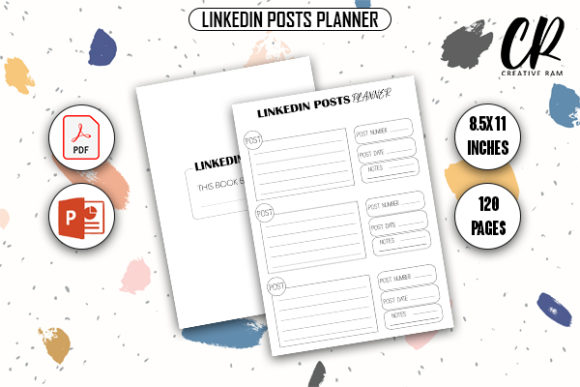
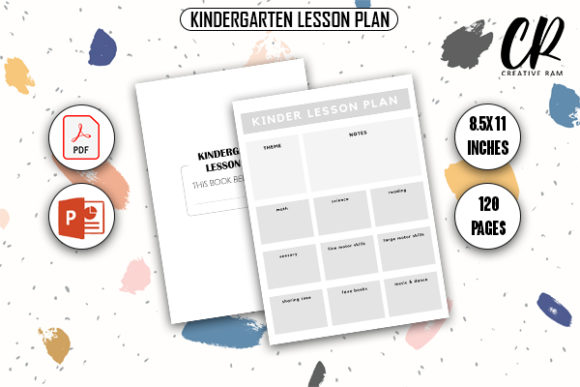
Before downloading or purchasing any interior template, you must verify that the technical specifications align strictly with Amazon KDP’s current printing guidelines. A standard Kindergartens Lesson Plan - KDP Interior typically features dimensions of 8.5″ x 11″ inches with 120 pages. While these dimensions are standard for workbooks and planners, the margin and bleed settings are where most errors occur.
A frequent misunderstanding involves the term "bleed." Many beginners assume that selecting a bleed option automatically adjusts their content. In reality, if you choose "Bleed With Bleed" during setup, your PDF must include an extra 0.125 inches on the top, bottom, and outside edges. If the downloaded template does not account for this extension, critical elements like header lines, decorative borders, or writing prompts may be trimmed off during the physical printing process. Conversely, if the template includes bleed but you select "No Bleed" in KDP, your book will have unintended white borders or scaling issues.
Practical Advice: Always open the PDF in a viewer that displays page dimensions before uploading. Measure the safe zone. Ensure that all text and functional writing areas remain at least 0.375 inches from the trim line. For a 120-page lesson planner, consistency across every spread is vital. A single misaligned page can ruin the user experience for a teacher relying on the book for daily organization.
The Critical Role of Source Files (PPTX and PDF)
One of the most significant mistakes creators make is treating a static PDF as the final product. While a high-quality print-ready PDF is necessary for upload, it is insufficient for long-term success in the educational niche. Kindergarten curriculums vary significantly by region, school district, and teaching philosophy. A rigid, uneditable template limits your potential audience.
This is why securing PDF PPTX source files for customization is non-negotiable. PowerPoint (PPTX) files serve as the master design layer. They allow you to:
- Update Terminology: Change "Circle Time" to "Morning Meeting" or adjust subject headers to match local standards.
- Modify Layouts: Add or remove sections for special education accommodations, ESL notes, or parent communication logs.
- Rebrand Effectively: Integrate your own logo, fonts, and color schemes to build a recognizable brand rather than selling a generic commodity.
- Create Variations: Easily spin off specialized versions (e.g., Montessori, Reggio Emilia, or Homeschool editions) from a single master file.
Relying solely on a locked PDF forces you to purchase new templates for every minor variation, increasing costs and reducing efficiency. Furthermore, editable source files demonstrate a higher level of E-E-A-T (Experience, Expertise, Authoritativeness, and Trustworthiness) because they show you understand that educators need flexibility, not just pretty graphics.
Evaluating Pedagogical Usability Over Aesthetics
In the rush to create visually appealing covers and interiors, many sellers overlook the actual function of a kindergarten lesson plan. Teachers do not buy planners because they look cute; they buy them to save time and reduce cognitive load. A common error is prioritizing heavy graphics over writable space.
When reviewing a Kindergartens Lesson Plan - KDP Interior, scrutinize the layout through the eyes of a busy educator. Are the writing lines spaced appropriately for handwriting? Is there adequate room for differentiation notes? Does the weekly overview connect logically to the daily breakdown? Excessive clip art or dark backgrounds may look attractive on screen but can consume excessive ink when printed and distract from the content. High-contrast, clean designs with ample white space generally perform better and receive higher reviews.
Better Approach: Test the interior yourself. Print a sample page and write on it with a standard pen. Check if the paper texture (standard vs. premium) affects legibility. Verify that the flow makes sense for a five-day school week. If the template feels restrictive or cluttered during this test phase, it will likely frustrate customers. Prioritize functional whitespace and clear hierarchy over decorative density.
Avoiding Licensing and Commercial Use Pitfalls
Digital assets come with licensing terms that are frequently ignored until a problem arises. Not all downloadable interiors grant full commercial rights for KDP publishing. Some licenses restrict the number of units sold, require attribution, or prohibit modification even if a PPTX file is included.
Using a template without verifying commercial usage rights can lead to takedowns, account suspensions, or legal disputes. Additionally, using widely distributed free templates results in duplicate content issues on Amazon. If ten other sellers are using the exact same unmodified interior, Amazon’s algorithm may suppress your listing, or customers may leave negative reviews citing lack of originality.
To avoid this, always read the license agreement included with your download. Look for explicit permission for "Commercial Use," "KDP Publishing," or "Print on Demand." If you are using a PLR (Private Label Rights) or MRR (Master Resell Rights) package, ensure the license allows for the creation of derivative works. Customizing the PPTX source file is the best safeguard against duplicate content flags, as it transforms the asset into something uniquely yours.
Optimizing File Quality for Professional Results
Even with the right content and license, poor file quality can undermine your product. Blurry text, pixelated icons, or inconsistent margins signal low quality to potential buyers who use the "Look Inside" feature. When working with PDF PPTX source files, ensure that all embedded images are at least 300 DPI at their final print size. Vector graphics are preferable to raster images as they scale infinitely without losing clarity.
Before finalizing your Kindergartens Lesson Plan - KDP Interior, run a comprehensive pre-flight check:
- Font Embedding: Ensure all fonts are embedded in the PDF or converted to outlines to prevent substitution errors during printing.
- Color Profile: Convert RGB colors to CMYK if possible, or at minimum, preview how RGB colors translate to grayscale, as many KDP interiors are printed in black and white.
- Hyperlink Removal: Interactive elements like hyperlinks do not work in print books and can sometimes cause processing errors. Flatten or remove them.
- Metadata Cleanup: Remove personal information or previous creator tags from the file properties to maintain a professional presentation.
Making Informed Decisions for Long-Term Success
Selecting the right interior is a strategic business decision. Whether you are a teacher sharing your own systems or an entrepreneur building a publishing portfolio, the quality of your source material dictates your ceiling. By focusing on correct bleed specifications, securing editable PPTX files, validating pedagogical utility, and respecting licensing terms, you move beyond amateur mistakes.
Remember that the goal is to provide a resource that genuinely helps kindergarten teachers organize their days. When you prioritize functionality and customization over quick uploads, you build trust with your audience and create sustainable assets. Take the time to evaluate each Kindergartens Lesson Plan - KDP Interior critically. The extra effort invested in vetting and customizing your templates translates directly to better reviews, fewer returns, and a stronger reputation in the educational publishing marketplace.